
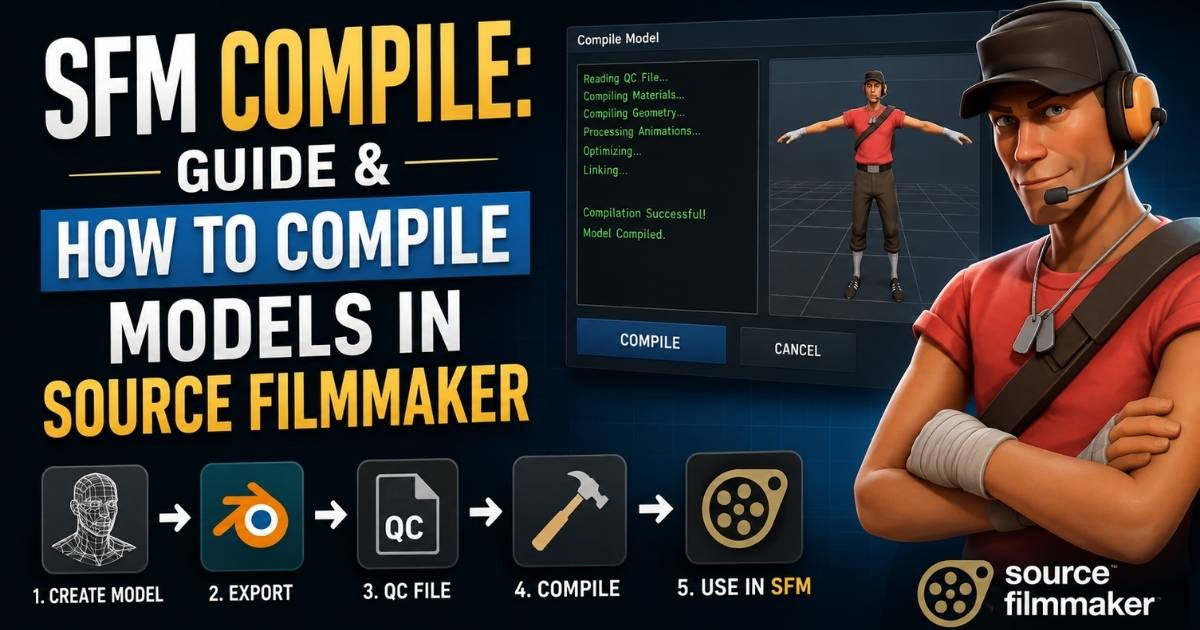

If you have ever dropped a downloaded model into Source Filmmaker and watched it show up as a pink and black checkerboard, you already understand why SFM compile matters. Source Filmmaker cannot read raw 3D files from Blender, Maya, or 3ds Max. Every custom character, prop, or weapon has to pass through a compile process before the engine will recognize it.
This guide walks through the entire SFM compile workflow from start to finish. You will learn why compiling is necessary, which files are involved, how to write a QC file that actually works, and how to fix the errors that trip up almost every beginner. Whether you are porting a model from another game, building a character from scratch, or fixing a prop that refuses to load, this is the roadmap you need.
Unlike a quick five minute tutorial, this walkthrough covers the full pipeline in depth, including the difference between SMD and DMX, how Crowbar compares to StudioMDL, and the exact QC patterns that cause most failed compiles. By the end, you should be able to take any raw model and turn it into a working SFM asset without guessing at what went wrong.
Why You Need to Compile Models in Source Filmmaker
Source Filmmaker runs on the Source Engine, and the Source Engine only reads one native model format called MDL. A finished mesh from a modeling program, no matter how detailed, is just loose data until it gets converted. Compiling is the bridge between your creative work and a model that actually loads, animates, and renders inside SFM.
Skipping this step is not optional. Without compiling, your model will not appear at all, or it will load with missing textures, broken bones, or no collision. That is the entire reason SFM compile exists as a workflow rather than a simple drag and drop import.
What Happens During the Compile Process?
During compilation, a tool such as StudioMDL or Crowbar reads a QC script and gathers every referenced file, including the mesh, skeleton, textures, and animation data. It then triangulates the geometry, calculates bone weights and vertex normals, links material references, and packages everything into a compact set of engine ready files. The output includes an MDL file plus supporting VVD, VTX, and PHY files that Source Filmmaker loads together as one model.
When Is Compilation Required In SFM Compile Guide?
Not every project needs a fresh compile, but most custom content situations do. Here are the four scenarios where you cannot skip it.
You’re Importing a Custom Character
Any character built outside the Source pipeline, whether sculpted in Blender or rigged in Maya, needs a full compile that includes a skeleton, weighted mesh, and at least one animation sequence.
You’re Creating Custom Props
Static props still require compiling, though the process is simpler since there is usually no skeleton involved, just a mesh, a material reference, and an idle sequence placeholder.
You’re Porting Models from Other Games
Models extracted from other titles usually arrive in formats the Source Engine cannot use directly. They need to be reprocessed, retextured to VTF and VMT, and rebuilt through a QC file before SFM will accept them.
You’re Editing Existing Models
Even a small edit, such as adding a bodygroup, changing a texture path, or fixing a broken hitbox, forces a full recompile because Source models are baked binary files, not editable in place.
Read More: Crackstube Explained for Beginners: A Powerful Guide 2026
How the SFM Compile Pipeline Works
Every SFM compile follows the same general sequence, regardless of whether you are building a prop or a fully rigged character.
Step 1: Create or Edit Your Model
Start in your 3D application of choice. Blender is the most common choice in the SFM community because of its free Source Engine export plugins, but Maya and 3ds Max work too as long as you have the right exporter installed.
Step 2: Export Source Files
Once the model is ready, export it into a format StudioMDL can read.
SMD
SMD is the classic Source format. It is simple, widely supported, and the safest choice for beginners, static props, and most animated characters.
DMX
DMX is a newer, more flexible format that supports facial flexes and more advanced animation data. It is worth using once you move beyond basic props.
Step 3: Prepare Textures and Materials
Textures need to be converted into the specific formats Source Engine reads natively.
VTF
VTF is the compressed image format Source uses for all in-game textures. Regular PNG or JPG files must be converted before compiling.
VMT
VMT files are small text scripts that tell the engine which VTF to use and how it should behave, including shader type, transparency, and bump mapping.
Step 4: Write the QC File
The QC file is the instruction sheet for the whole compile. It tells the compiler where the mesh lives, what to name the output model, where to find materials, and how sequences and collision should be handled.
Step 5: Compile Using Crowbar or StudioMDL
With the QC file finished, you run it through a compiler. Crowbar gives you a graphical interface, while StudioMDL is the command line tool Valve built directly into the engine.
Step 6: Import and Test Inside Source Filmmaker
Once compiling finishes without errors, load the model into SFM and check that textures, animations, and physics all behave the way you expect.
Tools You’ll Need Before SFM Compile
Essential Software
Source Filmmaker
The free engine itself, available through Steam, where your compiled model will ultimately live and animate.
Crowbar
A community built compiler front end that wraps StudioMDL in a simple, readable interface and shows a detailed compile log.
Blender Source Tools
A free plugin that adds SMD and DMX export options directly inside Blender, making it the standard bridge between modeling software and Source.
Source SDK
Valve’s software development kit, which bundles studiomdl.exe along with other utilities needed for the compile pipeline.
Helpful Utilities Of SFM Compile
VTFEdit
A lightweight tool for converting PNG or TGA images into VTF format and previewing how they will look once compiled.
GCFScape
Useful for browsing and extracting assets from Valve’s older GCF archive files, which can help when studying how official models are structured.
Notepad++
A better alternative to plain Notepad for editing QC files, since it offers syntax highlighting and makes typos far easier to spot.
Image Editing Software
Programs like GIMP or Photoshop help you prepare diffuse, normal, and specular maps before converting them to VTF.
Optional Productivity Tools
Batch scripts, Crowbar presets, and folder templates all save time once you are compiling more than a handful of models.
Understanding Every File Used in SFM Compilation
| File Type | Purpose |
| SMD | Raw exported mesh, skeleton, or animation data |
| DMX | Newer export format supporting flexes and advanced rigs |
| QC | Text script that instructs the compiler how to build the model |
| VTF | Compiled texture format used by Source Engine |
| VMT | Material script linking textures to shaders |
| MDL | The final compiled model file loaded by SFM |
| VVD | Stores vertex data separately for faster loading |
| VTX | Optimized mesh strip data used for rendering |
| PHY | Physics collision data for the model |
Knowing what each file actually does makes troubleshooting far easier, since most compile errors point directly to one of these file types.
It also helps to understand which files you create yourself and which ones the compiler generates for you. SMD, DMX, QC, VTF, and VMT are all source files you build or export before compiling. MDL, VVD, VTX, and PHY are output files that StudioMDL produces automatically once the compile finishes successfully. If any of those output files are missing after a compile, the log will almost always explain why, so it is worth reading closely rather than skipping straight to reloading SFM.
Read More: Connections Forbes: Complete Guide to Daily NYT Hints, Clues & Answers 2026
Step-by-Step: How to Compile an SFM Model
1. Export the Model Correctly
Check These First
Make sure your mesh has no unapplied transforms, that bone names match your rig, and that every material slot has a name Source can reference later.
Best Practice
Export a clean reference pose with all rotations and scales applied at zero, since leftover transforms are one of the most common causes of distorted models.
Choose the Right Export Format
Use SMD for straightforward props and characters. Switch to DMX only when you need facial flex support or more complex skinning.
2. Create a Reliable QC File
A Simple QC Mindset
Treat the QC file like a recipe rather than code. Each line tells the compiler exactly one thing, such as where to find a mesh or how to name an animation.
Common QC Mistakes
- Forgetting quotation marks around file paths
- Using backslashes and forward slashes inconsistently
- Pointing $cdmaterials to a folder that does not exist
- Leaving out a $sequence line entirely
Useful Rule
If the compiler cannot find a file the QC references, it will fail immediately, so double check every path before hitting compile.
3. Compile Using Crowbar
Why Crowbar Helps
Crowbar removes the need to memorize command line syntax and displays a readable, color coded log that highlights the exact line where a compile failed.
Recommended Crowbar Workflow
- Open Crowbar and select the Compile tab
- Load your QC file
- Set the correct game directory, such as SourceFilmmaker/game/usermod
- Click Compile and watch the log
Do Not Skip the Log
Even a successful compile can contain warnings about missing collision data or unused materials that will cause problems later.
4. Verify the Output Files
What to Check
Confirm that the MDL, VVD, VTX, and PHY files were all generated in the expected output folder, and that none of them are sitting at zero bytes.
5. Import into Source Filmmaker
Check the Following
- Textures display correctly with no checkerboard patterns
- Animations play smoothly without bone stretching
- The model casts shadows and reacts to lighting properly
Why Testing Matters
Catching a problem in SFM before you build a full scene around the model saves hours compared to discovering it mid animation.
SMD vs. DMX: Which Format Should You Use?
SMD
Best For
Static props, simple characters, and beginners learning the pipeline for the first time.
Pros
It is simple, well documented, and supported by nearly every Source Engine tutorial available.
Cons
It cannot store facial flex data, which limits its use for detailed character animation.
DMX
Best For
Characters that need facial expressions, complex rigs, or more advanced animation curves.
Pros
DMX supports flexes, better precision, and more modern export options from Blender and Maya.
Cons
It has a steeper learning curve and slightly less community documentation compared to SMD.
Practical Rule
Start with SMD while you are learning. Move to DMX only once a project specifically requires facial animation or advanced rigging features.
Crowbar vs. StudioMDL: Choosing the Right Compiler
StudioMDL
Strengths
It is Valve’s official compiler, bundled directly with Source Filmmaker, and it gives the most direct, unfiltered error output.
Weaknesses
It runs entirely through the command line, which can feel intimidating and makes it easy to miss small QC mistakes.
Crowbar
Strengths
Crowbar wraps StudioMDL in a graphical interface, supports batch compiling, and formats the log in a way that is much easier to read.
Weaknesses
It is a community tool, not an official Valve product, so it occasionally lags behind engine updates.
Best Choice
Most creators use Crowbar for everyday work and fall back on raw StudioMDL only when they need to see exactly what the compiler is doing under the hood.
QC Files Explained Without the Confusion
What a QC File Controls
The QC file controls the output model name, where materials are pulled from, which mesh files are used, how animation sequences behave, and whether the model has physics collision.
Common QC Commands
- $modelname: sets the output path and file name of the compiled MDL
- $body or $bodygroup: references the mesh file used for the model
- $cdmaterials: points to the folder containing VMT files
- $sequence: defines an animation, including looping and frame rate
- $collisionmodel: builds the physics hull used for collisions
- $surfaceprop: tells the engine what material the surface behaves like
Annotated QC Template Concept
A minimal static prop QC typically looks like this in concept:
$modelname “custom/my_prop.mdl”
$body mybody “my_prop_reference.smd”
$cdmaterials “models/custom”
$surfaceprop “wood”
$sequence idle “my_prop_reference.smd” fps 30
$collisionmodel “my_prop_collision.smd” { $concave }
Five lines carry almost all of the weight here: the output name, the mesh reference, the material path, at least one sequence, and optional collision data.
Read More: Fintechzoom.io Stock Market Course: Mastering the Modern Exchange
The Most Common QC Failure Patterns
1. Broken Paths
Absolute paths that only exist on your computer will fail the moment the QC is used anywhere else, so stick to paths relative to your game folder.
2. Syntax Errors
A single missing quotation mark or bracket can stop the entire compile, since StudioMDL reads QC files literally, line by line.
3. Wrong File References
Referencing a file name that does not exactly match the exported SMD or DMX file is one of the most frequent beginner mistakes.
4. Mismatched Names
Bone names, sequence names, and body group names all need to stay consistent across your 3D software, your export, and your QC file.
5. Overcomplicated First Compile
Trying to add flexes, multiple bodygroups, and custom collision on your very first attempt makes it hard to isolate what actually went wrong.
Practical Advice
Build up complexity gradually. Get a plain mesh compiling successfully first, then add materials, then animation, then physics.
Troubleshooting SFM Compile Errors
Compile Fails Immediately
This almost always points to a QC syntax error or a referenced file that does not exist in the expected folder.
Pink or Black Models
The checkerboard pattern means the engine cannot find the VTF or VMT file. Check that $cdmaterials matches your actual materials folder structure.
Invisible Model
An invisible model usually means the mesh compiled but the material path is completely wrong, or the model scale is far too small or too large.
Broken Animation
Stretched or twisted bones during playback typically trace back to a skeleton mismatch between your rig and your reference mesh.
Physics Not Working
If a prop falls through the floor or ignores collisions, the QC is likely missing a $collisionmodel block entirely.
Error Log Strategy
Read compile logs from the top down, since the first error listed is often the root cause and later errors are just side effects of it.
Improve Compile Speed Without Sacrificing Quality
How to Speed Things Up
Compile only the parts of a model you are actively testing, and avoid regenerating LODs and physics on every single test pass.
Hardware Matters
Working from a solid state drive noticeably reduces compile times compared to running the pipeline from a traditional hard drive.
Workflow Matters Even More
Saving a Crowbar preset with your game directory and common settings already configured removes repetitive setup on every compile.
Advanced SFM Compile Techniques
Custom Collision Models
Building a simplified convex hull specifically for physics, rather than reusing your full detail mesh, keeps performance smooth during scenes.
Level of Detail (LOD)
LODs swap in simpler versions of a model as the camera moves further away, which keeps busy scenes rendering efficiently.
Multiple Bodygroups
Bodygroups let a single model toggle between different mesh options, such as swapping hats, weapons, or clothing pieces without separate models.
Animation Sequences
Adding multiple $sequence entries in one QC lets a single compiled model support walking, idle, and custom poses from one file.
Material Overrides
Skin families let you reuse one mesh with several different texture sets, which is useful for variant characters or props.
Steam Workshop Optimization
Keep file sizes reasonable and folder structures clean if you plan to publish through Workshop, since bloated compiles slow downloads for everyone.
How Experienced Creators Work On SFM Compile
Veteran SFM creators rarely compile a full character in one shot. They build a simple test cube with the correct skeleton first to confirm the rig behaves properly, then swap in the real mesh once the pipeline is proven. They also keep a personal library of working QC templates so every new project starts from something that is already known to compile cleanly.
Many experienced creators also study Valve’s own decompiled models to see how official QC files are structured, since reverse engineering a working example teaches far more than reading documentation alone. They tend to isolate variables aggressively, changing one thing at a time between compiles so that a new error can only be coming from the change they just made, rather than from three or four stacked edits.
Real-World SFM Compile Workflow: From First Export to Final Test
A typical session looks like this in practice. A creator exports a rigged character from Blender as SMD, converts the textures to VTF using VTFEdit, and writes a QC file referencing the mesh, materials, and a single idle sequence. They compile through Crowbar, check the log for warnings, then load the model in Half-Life Model Viewer before ever opening SFM. Only after confirming the model looks correct in isolation do they bring it into a full Source Filmmaker scene, where lighting and camera work can finally begin.
Once the base model is confirmed working, the same creator will usually go back and add complexity in layers. A second compile pass might add a collision model, a third might introduce additional sequences or bodygroups, and a final pass might generate LODs for performance. Treating the workflow as a series of small, testable stages rather than one giant leap is what separates a smooth compile session from an afternoon lost to troubleshooting.
Common Mistakes About SFM Compile
1. Wrong Folder Structure
Placing files outside the expected game or usermod directory structure causes the engine to silently fail to find them.
2. Forgetting to Apply Transforms
Unapplied scale or rotation in your 3D software carries over into the compile and distorts the model inside SFM.
3. Broken Texture Paths
A $cdmaterials line that does not match your actual materials folder is the single most common cause of missing textures.
4. Overcomplicated First Compiles
Adding every advanced feature at once makes debugging nearly impossible when something inevitably goes wrong.
5. Ignoring the Compile Log
Warnings that get skipped during a “successful” compile often turn into visible problems once the model is loaded in SFM.
6. Mismatched Names
Sequence names, bodygroup names, and bone names need to match exactly across every file in the pipeline.
Best Practices Used by Experienced SFM Creators
Use Reusable QC Templates
Keep a folder of proven QC files for props, static models, and rigged characters so you are never starting from a blank page.
Test in Small Steps
Compile after each major change rather than after building an entire complex model, so problems are easy to isolate.
Keep Source Files Separate from Compiled Files
Store your SMD, DMX, and QC files outside your SFM game folder, and treat the compiled output as disposable and regeneratable.
Document What Works
Keep short notes on settings, folder paths, and fixes that worked, since you will hit the same problems again on future projects.
Back Up Before Major Changes
Copy your working files before making major rig or material changes, since a broken compile can be hard to reverse without a backup.
Use Clear File Names
Consistent, descriptive file names make it far easier to spot a mismatched reference inside a QC file at a glance.
Compile Readiness Checklist
Before you hit compile, confirm the following:
- Mesh transforms are applied and scale is correct
- Bone names match between rig and reference mesh
- Textures are converted to VTF with matching VMT files
- $cdmaterials path matches your actual materials folder
- At least one $sequence is defined, even for static props
- Collision model is included if physics interaction is needed
- QC file has been checked for missing quotes or brackets
Conclusion
SFM compile can feel intimidating the first time you face a wall of command line text or a failed compile log, but the process becomes predictable once you understand what each file actually does. Start small with a basic static prop, get comfortable reading QC files and compile logs, and build up toward fully rigged characters with custom collision and multiple animation sequences.
Every experienced creator in the SFM community started exactly where you are now, staring at a checkerboard model or a red error line with no idea what it meant. The difference between staying stuck and moving forward is simply working through the pipeline one step at a time, testing after each change, and treating every failed compile as information rather than a dead end. With a clean workflow, the right tools, and a bit of patience, turning raw models into working Source Filmmaker assets stops being a mystery and becomes just another part of your creative process.
FAQs
What does SFM compile actually mean?
It means converting a raw 3D model and its textures into the MDL format that Source Filmmaker can load and render.
Do I need programming skills to compile a model?
No. QC files use simple text commands, not programming logic, so no coding background is required.
Why is my model showing a pink and black checkerboard?
This means the engine cannot find your texture files, usually because the $cdmaterials path in your QC does not match your materials folder.
Should I use Crowbar or StudioMDL?
Crowbar is friendlier for beginners thanks to its graphical interface, while StudioMDL gives more direct command line control for advanced users.
Can I compile models for Source 2 Filmmaker?
Source 2 Filmmaker uses ModelDoc instead of QC files and StudioMDL, so the classic workflow in this guide applies to the original SFM, which remains the more widely used version.
Why does my animation look stretched or broken?
This usually points to a mismatch between your rig’s skeleton and the bones referenced in your exported animation file.

Jack Thompson is the founder and chief editor of BiozVers.com. With a passion for researching celebrities, internet trends, and the meanings behind popular words, symbols, and phrases, he creates content that is clear, accurate, and easy to understand. Jack is committed to publishing well-researched articles that help readers quickly find reliable information on celebrity topics and meaning-based content.